What Is a VHS to DVD Converter?

A closet full of old VHS tapes usually raises the same question: what is a VHS to DVD converter, and do you actually need one? If you have family home movies, wedding footage, church recordings, training tapes, or business archives sitting on a shelf, a VHS to DVD converter is the tool or service used to move that video from an aging tape format onto a DVD or into a digital file.
That sounds simple, but the term gets used in a few different ways. Sometimes people mean a physical machine that records VHS playback onto a DVD. Other times they mean a capture device connected to a computer. And in many cases, they are really talking about a professional transfer service that handles the entire process for them.
What is a VHS to DVD converter, exactly?
At its core, a VHS to DVD converter takes analog video from a VHS tape and changes it into a format you can watch, store, or duplicate more easily. VHS tapes store video magnetically, and over time that signal can fade, distort, or become harder to play back. A converter bridges the gap between older tape technology and newer playback formats.
If the output is a DVD, the video is encoded into a digital format that a DVD player can read. If the output is a computer file, the footage may be saved as MPEG, MP4, or another video format before being burned to a disc or stored on a flash drive or hard drive.
So when someone asks what is a VHS to DVD converter, the short answer is this: it is the equipment or process that turns VHS tape footage into DVD-ready digital video.
The different types of VHS to DVD converter options
Not every converter works the same way. The right choice depends on how many tapes you have, what condition they are in, and how much time you want to spend.
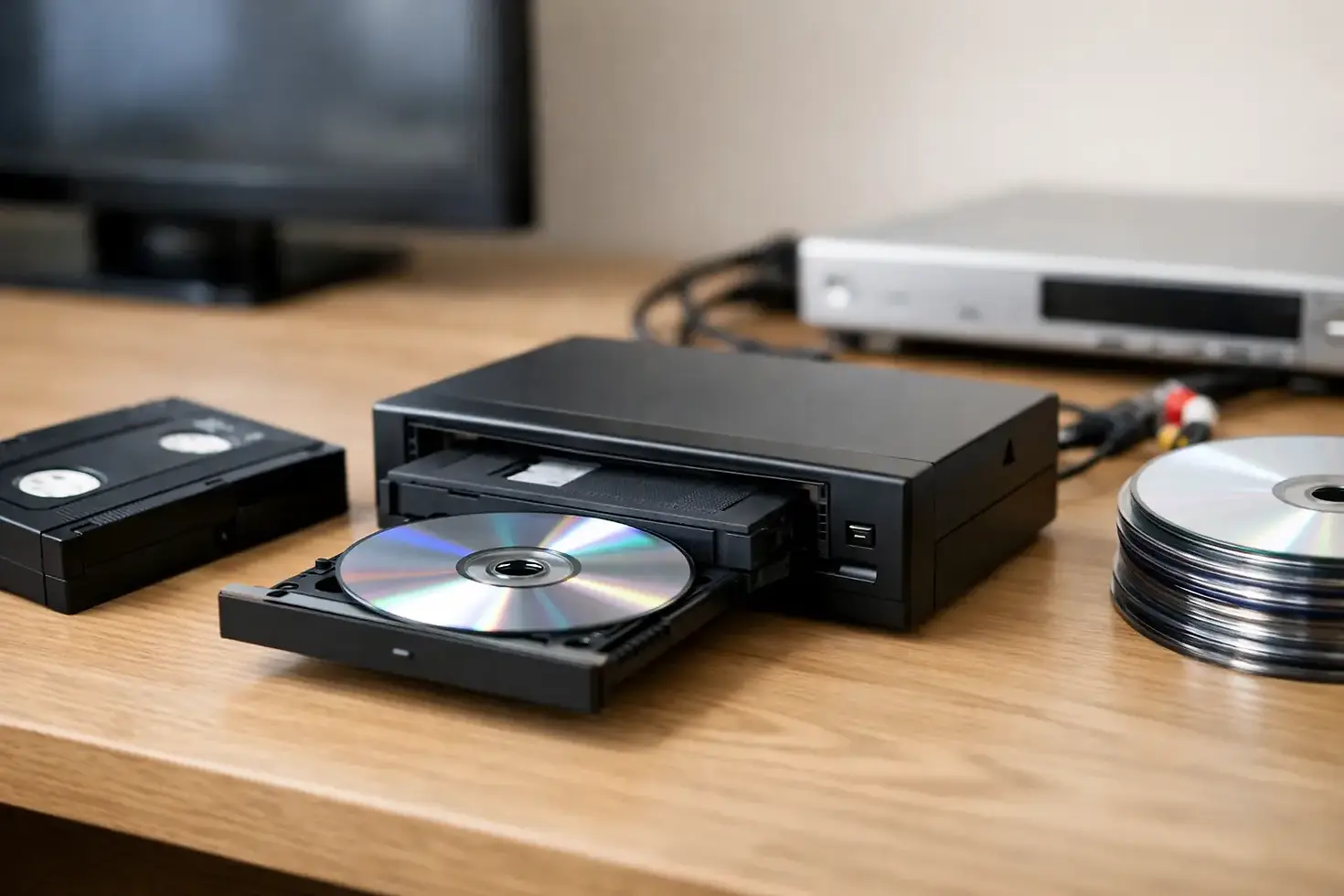
VHS/DVD combo recorders
These are standalone units with a VHS deck and DVD recorder built into one machine, or a VHS player connected directly to a DVD recorder. You play the tape on one side and record it onto a blank DVD on the other.
This option can work well for straightforward transfers, especially if the tape is in good condition. The downside is that these machines are harder to find than they once were, and used units may have worn heads, tracking issues, or recording problems. If the tape is damaged or unstable, the results can be disappointing.
USB capture devices
A USB converter connects a VCR to a computer. The analog video signal comes out of the VCR, passes through the capture device, and is recorded by software on your computer. From there, you can edit the footage, save it as a digital file, and burn it to DVD if needed.
This setup gives you more control, but it also asks more of you. You need a working VCR, the right cables, compatible software, enough storage space, and patience. Audio sync problems, dropped frames, and playback errors are common if the equipment is not set up properly.
Professional transfer services
A transfer service uses dedicated playback equipment and conversion hardware to digitize VHS tapes and deliver them on DVD, USB, or other digital formats. This is often the most practical route when the tapes are important, irreplaceable, or in poor condition.
For families and organizations, the value is not just convenience. It is also reliability. A professional service can often handle tape repair, tracking adjustment, format issues, and quality control in a way that home equipment cannot.
How a VHS to DVD converter works
The process starts with a VHS player. The tape is inserted and played back through a VCR or another compatible deck. The video and audio signals coming from the tape are analog, which means they are not yet in a digital format that a DVD can store.
The converter captures that analog signal and turns it into digital data. If you are recording directly to DVD, that digital data is encoded in a DVD-compatible format and written to the disc in real time. If you are using a computer-based setup, the footage is first captured as a video file and then authored onto a DVD later.
Real time matters here. A two-hour VHS tape usually takes two hours to transfer. There is no fast shortcut that preserves proper playback from beginning to end. If you have a large collection, that time adds up quickly.
Why people still convert VHS to DVD
VHS tapes were never built for long-term convenience. They wear down with each playback, they take up space, and VCRs are no longer common in most homes or offices. Converting them to DVD gives you a format that is easier to watch, easier to duplicate, and less vulnerable to the mechanical problems of old tape decks.
For some people, DVD is still the preferred format because it works with standard home DVD players and makes sharing simple with relatives. For businesses, churches, schools, and local organizations, DVD can still be useful for archives, training materials, and presentation copies.
That said, DVD is not always the only goal. Many customers want both DVD and a digital file. A disc is convenient for playback, while a digital copy makes long-term storage, editing, and backup easier.
What a converter can and cannot fix
A VHS to DVD converter can preserve what is on the tape, but it cannot create quality that was never there. VHS is a lower-resolution format to begin with, so even a clean transfer will still look like VHS. The image may improve in stability or consistency with the right equipment, but it will not suddenly look like modern HD video.
Tape condition also matters. If a cassette has mold, broken leaders, wrinkled tape, tracking issues, or audio damage, conversion may require repair before transfer. A basic home converter setup usually cannot solve those problems on its own.
This is where professional handling can make a real difference. A service provider can inspect the tape first, test playback, and determine whether repair or special handling is needed before the transfer begins.
Should you use a converter at home or hire a service?
It depends on the value of the tapes and the complexity of the job. If you have one or two tapes, a working VCR, and plenty of time, a home setup may be enough. If the tapes are clean, the recordings are not especially critical, and you are comfortable with older equipment, do-it-yourself transfer can be a reasonable project.
If the tapes contain family milestones, one-time events, or business footage you cannot replace, there is more at stake. The risk is not only poor transfer quality. It is also damage during playback, incomplete capture, or discovering too late that the audio did not record correctly.
For larger collections, damaged tapes, or mixed media formats, a service is usually the safer route. A company like Digital Transfer Service of West Virginia can help customers move beyond VHS alone, especially if they also have camcorder tapes, film reels, slides, negatives, or audio recordings that need to be preserved together.
What to look for in a VHS to DVD converter service
If you decide not to do it yourself, look for a provider that offers more than basic dubbing. Ask whether they handle tape repair, whether they can transfer to DVD and digital files, and how they manage quality control. Turnaround time matters, but so does experience with fragile and outdated media.
It also helps to work with a local company that is accessible and responsive. When you are handing over home movies or business archives, clear communication matters. You want to know who is doing the work, how the originals are handled, and what options you have for final delivery.
A practical way to think about it
The simplest way to answer what is a VHS to DVD converter is to think of it as a bridge from a fading tape format to something more usable. Sometimes that bridge is a machine in your home. Sometimes it is a computer capture setup. And sometimes it is a professional transfer service that saves you time and reduces risk.
If your tapes still matter to you, the key is not just choosing a converter. It is choosing a method that protects the footage before the tapes lose any more quality. Old recordings do not get easier to preserve by waiting, and the best time to transfer them is while they can still be played.


Comments