
How to Save Phone Videos Permanently for Years
- Sabe Ellis
- 4 days ago
- 6 min read

A phone can hold years of birthdays, first steps, school concerts, job-site footage, customer testimonials, and everyday moments that cannot be recreated. But a phone is not permanent storage. To save phone videos permanently, you need more than one copy, a practical organization system, and a plan for moving files forward as devices and formats change.
The good news is that you do not need to be a technology expert to protect your videos. A few dependable habits can prevent the most common losses: a dropped phone, a failed update, a forgotten password, a full storage warning, or a device that simply stops working.
What “permanently” really means for phone videos
No single hard drive, cloud account, memory card, or phone can guarantee a video will last forever on its own. Files can be deleted, storage devices can fail, and online services can change their rules. Permanent preservation means maintaining usable copies in more than one place and checking them occasionally.
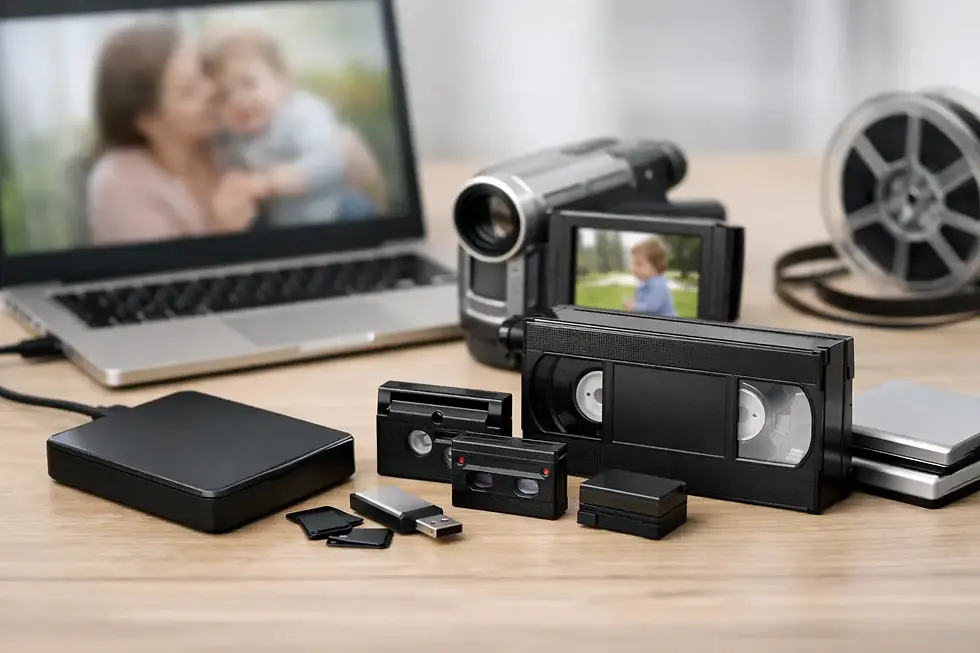
For most families and small businesses, the best approach is the 3-2-1 backup principle. Keep three copies of valuable videos, on two different types of storage, with one copy stored away from your home or office. For example, the original may remain on your phone, a second copy can be on an external drive, and a third can be in a trusted cloud account or another secure location.
This approach may sound cautious, but it is far less stressful than trying to recover a video after a phone is lost, stolen, damaged, or reset.
Start by getting videos off the phone
Your phone should be the place where you capture and view videos, not the only place where they live. Start by transferring the videos you want to keep. This is especially useful before trading in a phone, sending it for repair, or deleting files to make room for new recordings.
You can move videos to a computer with a cable, through a compatible file-sharing feature, or through a cloud photo service. A cable transfer is often the most direct choice for large, high-quality files because it does not rely on internet speed. It also gives you an opportunity to see exactly where your videos are going.
After the transfer, open several files on the computer. Make sure the video plays, the audio is present, and the clip is complete. A file that appears in a folder is not necessarily a file that copied correctly.
If your videos are already in a cloud photo account, do not assume that makes them permanently protected. Confirm that they are set to back up at full resolution if quality matters. Some services offer storage-saving settings that reduce file size, which may be acceptable for casual viewing but less desirable for editing, printing still frames, or long-term family archiving.
Create folders people can understand later
A video collection becomes difficult to use when every file has a name like VID4827 or IMG1039. Phones create these names automatically, but they do not tell your family or coworkers what the recording contains.
Begin with broad folders by year, such as 2024 or 2025. Inside each year, create folders for meaningful events, projects, customers, or seasons. A family might use folders such as “2025 - Emma’s Graduation” or “2024 - Christmas at Grandma’s.” A business may organize material by client, campaign, department, or job number.
When a video is especially meaningful, rename it with a date and brief description. A file name such as “2025-06-14GrandpaTellsArmyStory.mp4” is much more useful than an automatic number. Keep names simple and avoid unusual symbols that may cause trouble when files are moved between devices.
Do not let organizing become the reason you put off backing up. Transfer the files first. You can improve names and folders later, a little at a time.
Keep a local copy and an off-site copy
An external hard drive is an affordable way to keep a large local collection of phone videos. It is fast to access and does not require a monthly subscription. However, a hard drive can be damaged by a power surge, water, theft, or normal wear. It should never be your only backup.
Cloud storage gives you a valuable off-site copy. If a house fire, flood, or break-in affects your equipment, an off-site copy can make the difference between a major inconvenience and a permanent loss. The trade-off is that cloud storage depends on your account access, internet connection, available storage space, and the provider staying in business.
For irreplaceable videos, use both. Keep a copy on a quality external drive and another in secure off-site storage. Store the drive in a cool, dry area, rather than in a vehicle, attic, basement prone to moisture, or near heat sources.
Do not rely on social media as an archive
Posting a video online does not create a dependable master copy. Social platforms may compress video quality, limit downloads, change privacy settings, remove content, or close accounts. A shared post is useful for sharing a moment, but it is not a preservation strategy.
The same caution applies to text-message threads. Videos sent by message may be reduced in quality, and old conversations can disappear when phones are replaced or messages are cleared.
Preserve the original quality whenever possible
Modern phones often record excellent video, including high-definition and 4K footage. That quality can be lost when clips are emailed, texted, uploaded with compression enabled, or repeatedly edited and exported.
Keep the original file whenever you can. If you make a shorter version for social media, a montage, or a presentation, save that edited copy separately rather than replacing the original. The original contains the most detail and gives you more options later if you want professional editing, color correction, or a high-quality presentation.
For businesses, retaining original footage can also be useful for future marketing. A brief customer interview recorded today may provide a strong clip for a website video, anniversary presentation, recruiting piece, or social media campaign years from now.
Check your backups before you need them
A backup only works if you can find it and open it. Once or twice a year, connect your external drive or sign in to your storage account and play a small sample of files. Check videos from different years and from different devices.
This is also a good time to confirm that family members or a trusted business partner know where important videos are stored. Keep account recovery information current and make sure passwords are handled securely. If only one person can access the archive, a medical emergency or forgotten login can create an unnecessary problem.
Technology changes over time. A drive that works today may use a connection that is uncommon ten years from now. Video formats can also become less convenient to edit or play. Periodically moving your collection to a newer drive and current file format is part of long-term preservation, not a sign that the earlier backup failed.
When professional help is the better choice
Some phone videos need more care than a simple transfer. You may have clips scattered across several old phones, tablets, SD cards, computers, and messaging apps. You may need duplicate copies for family members, a polished video montage, edited footage for a business presentation, or a way to combine phone footage with older videotapes, film, photos, or audio recordings.
Professional transfer and production support can save time while protecting quality. It is particularly helpful when the material is sentimental, business-critical, difficult to locate, or too large to manage comfortably at home. A local provider can also give you a clear point of contact if you have questions about formats, storage, editing, or delivery options.
Digital Transfer Service of West Virginia helps families, organizations, and businesses preserve and repurpose media with the care that irreplaceable material deserves. Phone videos can be transferred alongside legacy formats, allowing separate pieces of a family history or business archive to be brought together in a usable digital collection.
A simple routine that keeps memories protected
Set a reminder every three months to move new phone videos to your main archive. At least once a year, make sure that archive has an additional off-site copy and test a few files. This regular routine is easier than trying to sort through thousands of clips after a phone is full or damaged.
The videos you record casually today often become the ones people value most later. Give them a place beyond your phone, label them clearly, and keep more than one copy. A small amount of care now helps ensure those voices, faces, stories, and important business moments are still there when you need them.

Comments